
For governments & organizations
Resident reports, routed to the right team — automatically
Civox gives your community a simple way to report issues and gets each one to the right team — on its own, or alongside the system you already run. Here's how it works.
Questions? Call us at 866-233-6885
Step 1
A resident snaps a photo
No app download. Sign in with a free account — the app suggests what the issue is and where it is, and the resident just confirms.
Step 2
Civox routes it automatically
The report's pin is matched against your boundary and sent to the right department. If you're not on Civox yet, we forward it to the right agency for the resident.
Step 3
Your team routes it
Staff see a clean queue to route, assign and track — duplicates flagged, escalations automatic. Civox is referral and routing software, not a replacement for your existing system: use it on its own, or connect it to the tools you already run, like your ERP or work-order system.
Step 4
The resident stays in the loop
Reporters get a case number, follow a live status timeline, and can reply back and forth with your team — in English or Spanish. If you run your own system, add your case number and a tracking link and Civox passes both along, so residents follow the case where you keep it.
See it in action
Real screens from the app your residents will use.
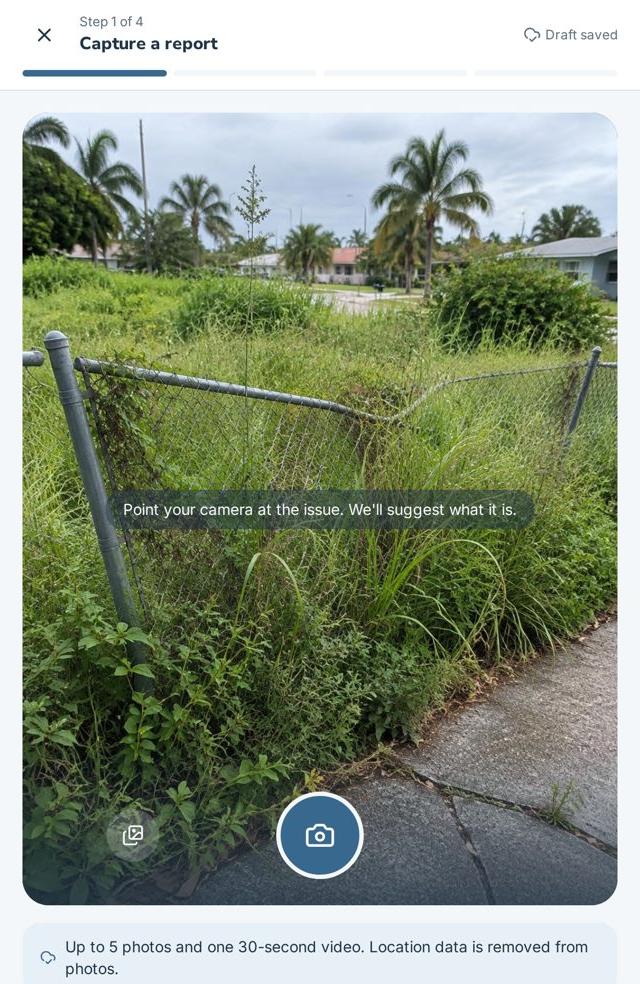
Capture a report
Residents point their camera at the issue. Civox suggests the issue type, removes location data from the photo, and stamps the date on it.
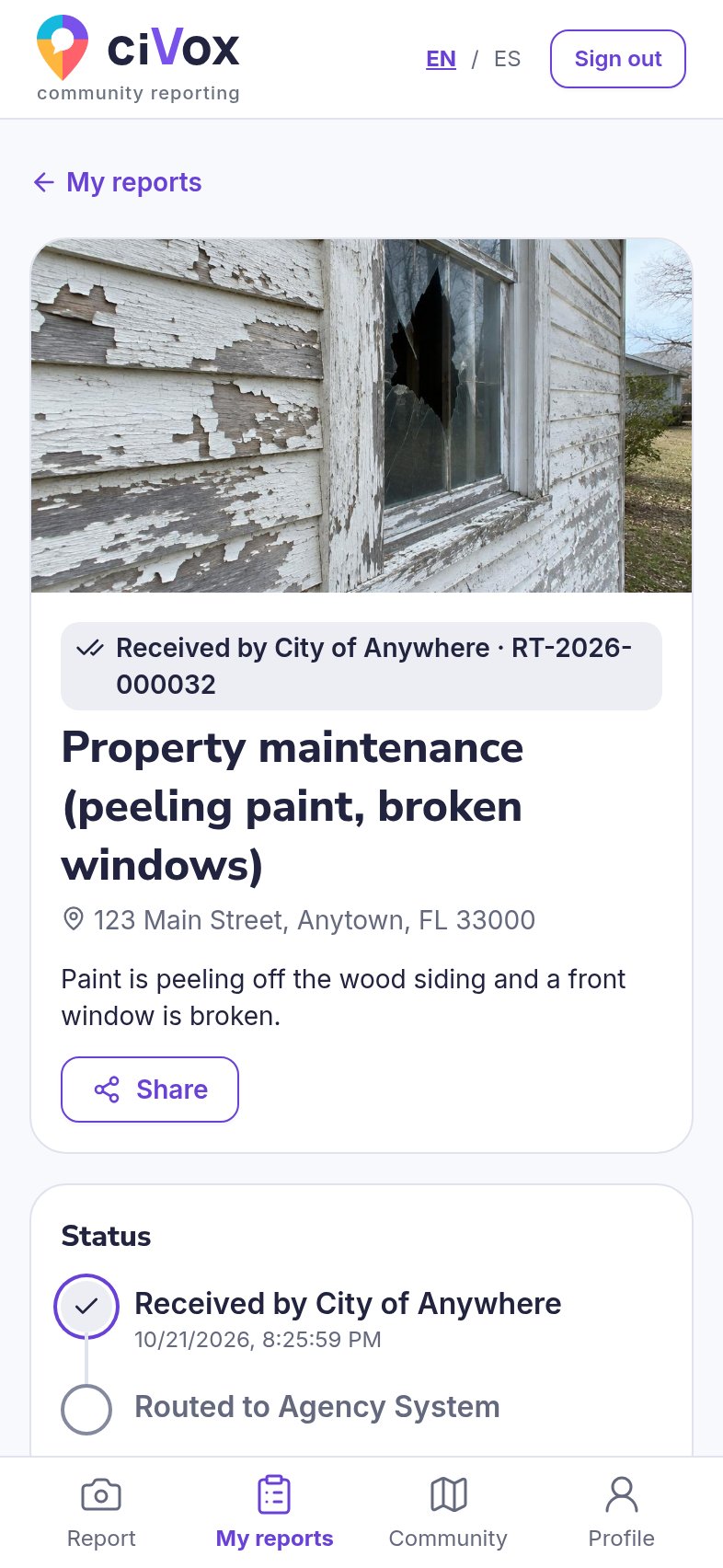
Track every case
Each report gets a case number and a clear status — Received, then Routed to Agency System — plus a share button and a two-way conversation with your team.
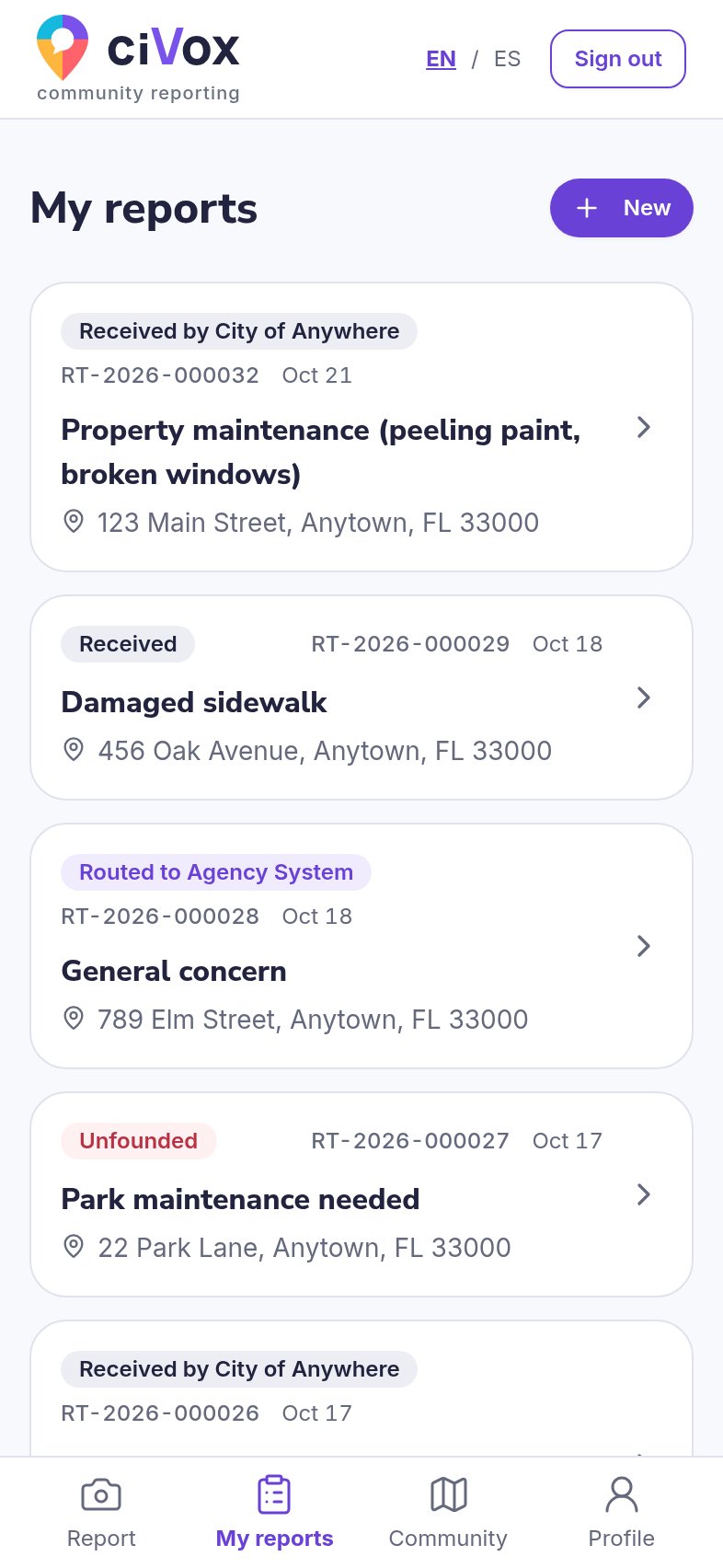
My reports
Residents see everything they've reported in one place, with current status at a glance.
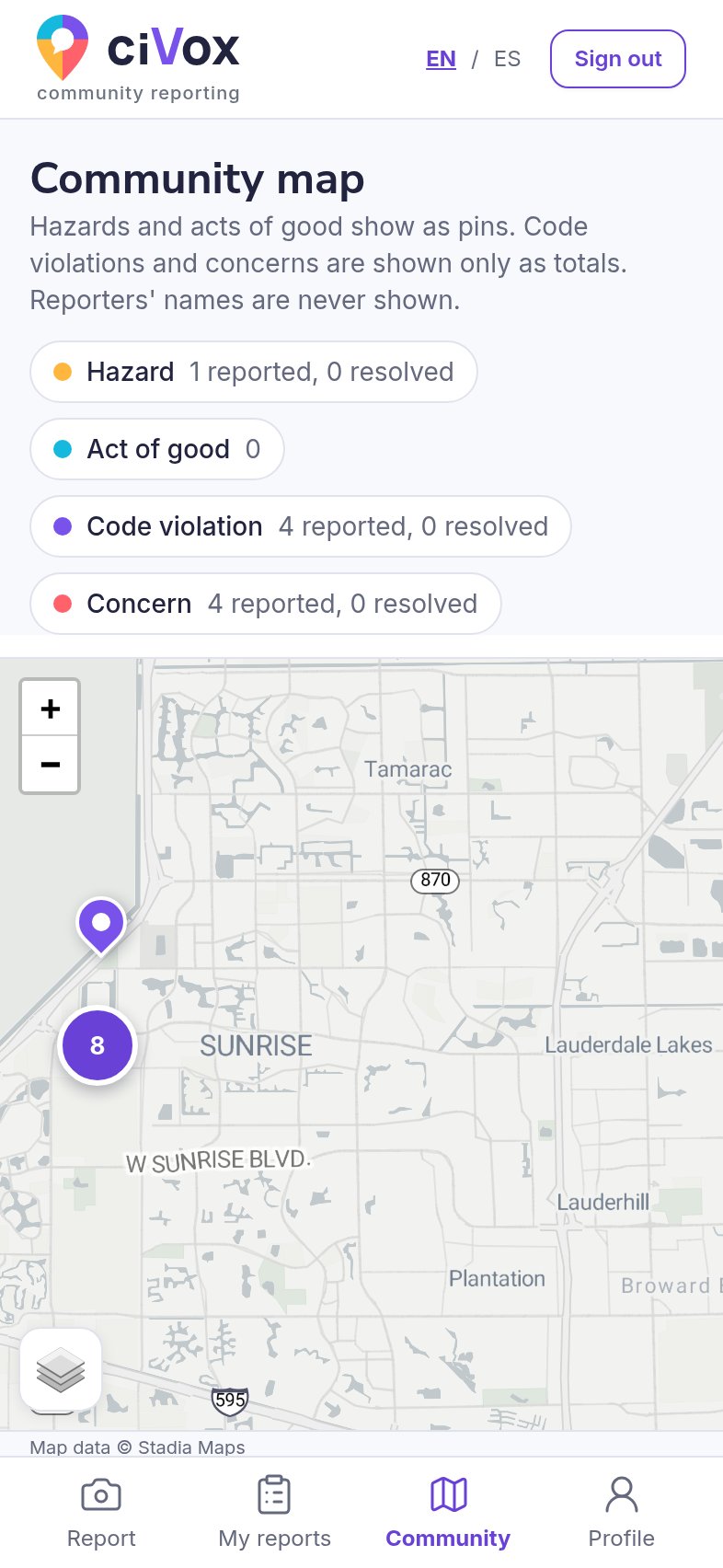
Community map
A public map builds trust: hazards and acts of good show as pins, sensitive issues show only as totals, and reporter names are never shown.
A portal your staff will actually use
Behind every report is a workspace built for busy teams.
Report queue & workspace
Filter by status or department, bulk-assign, and open a full workspace for each case — photos, map, history, notes and replies.
Team & departments
Invite staff, assign roles, and organize departments. You control your own issue catalog and whether reporters can reply.
Your boundary, your rules
Cities use official Census boundaries. Utilities and other organizations draw the area they serve on a map — approved by our team before it goes live.
Works with your current system
Already use a case-management system? We can connect Civox to it through an API integration. Or simply add your internal case number and tracking link — residents get a button to follow the case in your system. Set it up yourself in the portal.
Start free — grow when you're ready
Every organization starts with a free inbox. Upgrade to a full portal with routing, analytics and team tools whenever it makes sense.
A city or county government? Talk to us — we'll set you up.